
NOTE: This is just a quick-n-dirty first look. My full review of the Olympus E-P2 will be coming soon!
I want to thank B&H Photo for getting me this Olympus E-P2 before Christmas! They came through with a speedy delivery. Wow. Thanks!
Even though this E-P2 is a Christmas gift for someone in my household I had to take it for a test spin 🙂 Many of you know that I loved the original Olympus EP-1 (wow, that one didn’t last too log huh? Six months?) and Olympus has now released the E-P2 in a cool black body with an EVF for those who want a viewfinder. They also had to up the stakes a bit due to the Panasonic G-F1 stealing the E-P1’s thunder. (the G-F1 appears to be in stock at Amazon
When I opened the E-P2 box I said “WOW! This is one handsome camera”. The black looks sexy, sleek and modern. It still has that classic charm though not as much as the white and silver bodies did. I like it. It is reminsiciint of rangefinders and in my opinion, it is the way digital photography is headed. More compact, easy to take with you bodies. Here are some snazzy shots I took using my new lightbox. Take a look:
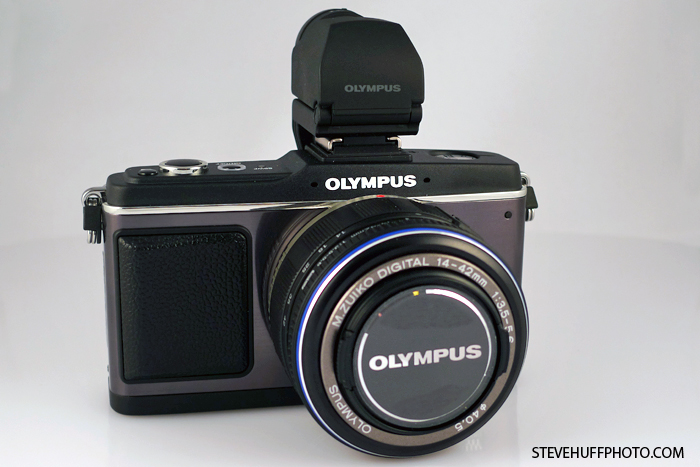
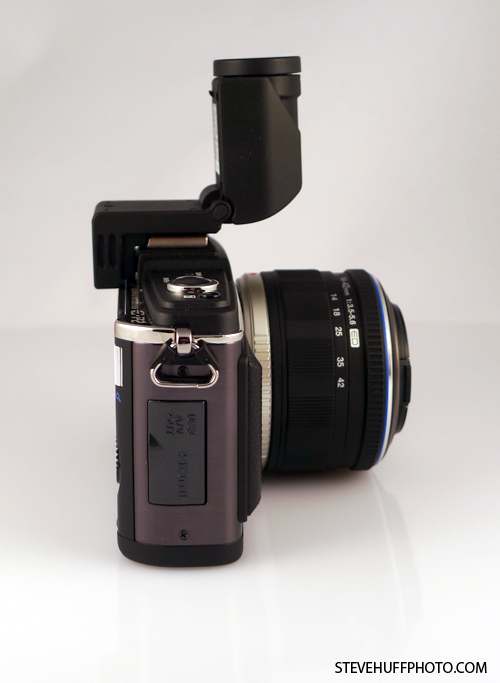
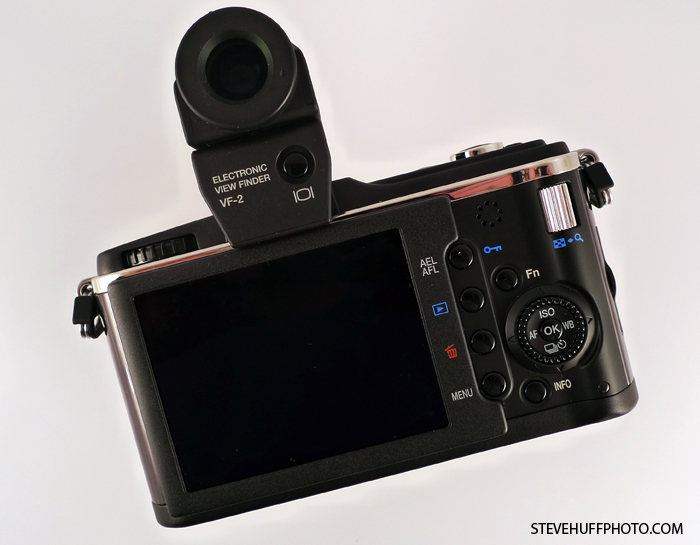
The E-P2 is still 12.1 MP, and still retains the features of the E-P1. You can see my full E-P1 review HERE at my old site if interested.
Of course there are minimal changes with the E-P2 with the main differences being the addition of the Electronic View Finder and AF tracking. Also, the color. But, there are also a few other differences that I will be going over in complete detail in the full review (after Christmas). One of those is the addition of an interesting ART filter called “Diorama”. To me, it sort of looks like a tilt/shift effect but Olympus describes it like this: “The Diorama art filter gives users a miniature model photo feeling by narrowing the depth of focus and enhancing color and contrast.”
I snapped a few shots in this mode and basically it adds some blur at the top and bottom of the frame. Sort of Noctilux-ish..well, not really 🙂
So I was only able to have this out of the box for less than 24 hours and my quick “first snaps” are limited to around my house as its 20 degrees outside and I am freezing my bony legs off. So, look for my full review soon. Until then, here are a few of my 1st quick snaps from around the house. Basically, its an EP-1 with some extras. BTW, the following are ALL OUT OF CAMERA JPEGS. No raw, no processing. Just resized.
ISO 1600 – E-P2 with kit zoom – F5.1 – 34mm (68mm equiv) – Pinhole Art Filter

ISO 1600 – E-P2 with Kit Zoom – F5.1 at 34mm (68mm Equiv) – Pinhole Art Filter
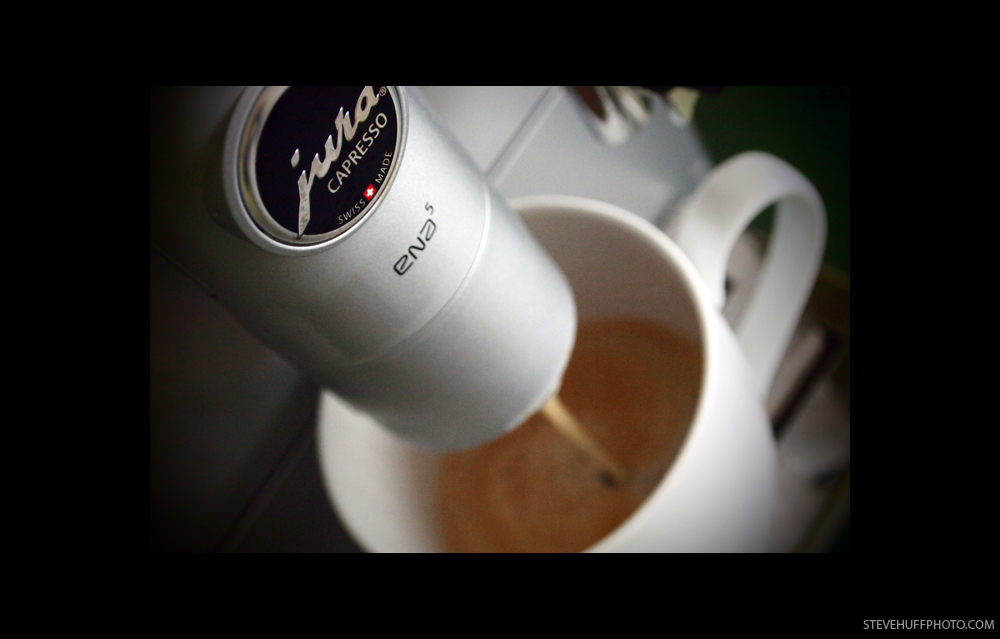
ISO 1600 – E-P2 with Kit Zoom – F3.5 at 14mm (28mm Equiv) 1/30s – Pinhole Art Filter

ISO 1000 – E-P2 with Kit Zoom – F3.5 at 14mm (28mm Equiv) – Diorama Art Filter
ISO 1600 – E-P2 with Kit Zoom – F5.4 at 38mm (76mm Equiv) – Pinhole Art Filter

and a crop

I am pretty impressed with the out of cam JPEGS here as well as the higher ISO performance for this being a small, compact grab n go type of camera. I hope to have my full review up soon, so check back daily! Also, I will be shooting the Leica X1 for the next few weeks but due to the delay with the camera (now available Feb 2010) my review will be posted after the new year sometime.



Hello and thank you for your informative articles. Steve, could you possibly make an E-P2 RAW file available for download? I would to test how I might process RAW from the E-P2, before buying. Thank you very much in advance.
Sincerely,
Rick Cogley
That was a dumb question before, sorry. I only asked because I bought the pen 2 yesterday. Hard to know if you like something until you try it out right?… so I compared it to my Canon 50D and am quite impressed with the pics. Did you find it a bit slow when using any of the art filters? Perhaps I need a larger SDHC card (have a 4gb)?
If you had to choose between the Olympus e p2 and the Leica x1 (even though you haven’t got it yet) which do you think you’d choose?
I would like to see a Panasonic GF1 vs Olympus EP2 review.
Thanks. Nicholas, I will go over the AF in the review. From my limited use, it is about the same as the E-P1.
I like the site Steve, but I’m really disappointed to not see at least a line about whether the EP-2s auto-focus felt any snappier than the EP-1s. It would be great to get your first impression of this.
getting mine 12-22-2009 and voigtlander micro 4/3 to m mount cant wait.
have you use the tilt shift filter yet?
I love this “hole-effect” and I really miss it on my Lumix GF1. They had the same effect on the TZ7 (in the States I think the model is ZS3) but lost it on the GF1 …
Anyway I love my GF1 – small, fast, excellent image quality. A really downsize: no RAW functionality with Apple´s Aperture …
Now you just need to get an adaptor and shoot the E-P2 with your Noctilux!
Hey Per,
All of thr Panasonic 4/3 lenses work on the E-P2 as they are the same mount. I plan on getting the 20 1.7 and 7-14. Thanks!
Steve
Looks great, imooking to replace my M9… HAHA. If only oplympus had a quicker lens like Pana 20mm 1.7.
Can’t wait for your full review…looking forward to buy the E-P2 as a backup body for my leica M8…would be great if you could take a closer look on how your leica glass works on it and how focusing is using the new EVF….
Happy holidays
Thanks guys. Remember, these are just around the house quick grabs as I have not been able to get out yet with the camera. I will be shooting this, the Leica X1 and my M9 for the next three days straight. Thanks!
Steve
Hey! many thanks for this quick look !!!
OMG! the « Pinhole Art Filter » looks stunning! … Leica-style 😉 ..
ps : in your final review, it would be great if you could compare this camera with the GF1.
Happy holidays!
It certainly is a beautiful camera, and the ISO 1600 shots look really clean.